|
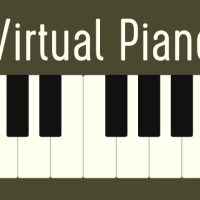
Virtual Piano  PLAY PLAY
|


























Virtual Piano How to play1. Open the Virtual Piano app in your mobile browser. You will see a clean, simple keyboard interface ready for you to play immediately.
2. To play a note, simply tap directly on any of the piano keys shown on your screen. Each key will produce its corresponding musical sound upon touch. 3. For an alternative control method, locate the designated button panel. Tap these labeled buttons to trigger notes or chords without pressing the virtual keys directly. 4. Explore the octave controls, typically marked with "+" and "-" symbols or arrows. Use these to shift the keyboard higher or lower, accessing the full range of piano notes beyond the initial view. 5. Before starting a melody, experiment with the sound settings. Find the menu option to change the piano type or apply different sound effects, altering the tone of your instrument to your preference. 6. Practice scales or simple songs by tapping keys in sequence. The responsive touch controls allow for playing individual notes or multiple keys simultaneously to create chords. 7. Use the shift or level adjustment features to access special tones or percussion sounds if available, expanding your creative possibilities beyond the traditional piano. 8. Compose a unique melody by combining your chosen octave, sound effect, and control method. There are no wrong notes, so feel free to experiment and improvise. 9. To restart or clear your composition, look for a refresh or stop button, which will reset the sound and allow you to begin a new melody fresh. 10. Enjoy your session! This virtual simulator is perfect for quick practice, creative exploration, or simply passing time by getting lost in making music. |