Woodoku Block Puzzle
How to play
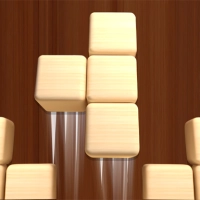
1. Tap the "Play" button on the main menu to start. You will then see a grid board and a set of three wooden block shapes at the bottom of the screen.
2. Choose one of the three available block shapes by tapping on it. The shape will attach to your finger or cursor, allowing you to drag it onto the 9x9 grid.
3. Drag the selected block shape to an empty area on the grid and tap again to place it. Blocks cannot overlap or extend beyond the grid edges.
4. Your goal is to fill complete rows or columns with blocks. When a full row or column of 9 squares is filled, that line will disappear, freeing up space and adding to your score.
5. After placing a block, the three shapes at the bottom will be replaced with three new ones. You must place all three before the game gives you the next set.
6. If you cannot place any of the three current shapes on the grid, the game ends. Plan ahead to keep space available for larger pieces.
7. Watch the score counter at the top. Clearing multiple lines at once with a single block placement gives bonus points and a satisfying chain reaction effect.
8. On the main menu, you can choose from four modes: Classic, where you play until no moves remain; Timed, where you race against a countdown clock; Block Drop, where blocks fall automatically; and Zen, with no time pressure and unlimited moves.
9. In Timed mode, tap quickly and strategically to clear lines before the timer runs out. In Block Drop mode, you must place each falling shape before it reaches the top.
10. Use the "Undo" button (if available) to take back your last move, but only once per turn. This can save you from a mistake that would end the game.
11. For high scores, focus on clearing multiple lines at once. Try to keep the grid open in the center and avoid stacking blocks too high on one side.
12. When the game ends, tap "Restart" to try again or "Menu" to switch modes. Your best score is saved automatically for each mode.